

Customer service for dropshipping works best when you treat the seller as the customer-facing owner of every order, give the support team reliable order facts, and create a clear path from each customer message to a supplier action or store decision.
Quick Answer: Set honest expectations before checkout, keep every inquiry in one queue, verify the order before replying, and give the customer a specific next update. Automate confirmations and simple lookups, but keep refunds, damaged items, disputed delivery, and unusual requests under human review. Then track repeated ticket reasons and fix the product page, supplier, packing, or shipping process that caused them.
A typical store handles a few messages easily until order volume rises or a delivery problem affects many buyers at once. The inbox fills with tracking questions, agents chase suppliers in separate chats, and customers receive vague replies because nobody has the complete record. A dependable system prevents avoidable questions, organizes the ones that remain, and turns recurring complaints into operating changes.
How Customer Service for Dropshipping Actually Works
The seller communicates with the buyer and owns the resolution, while the supplier or private agent supplies the product, packing, dispatch, tracking, and defect information needed to make that resolution accurate.
The customer bought from your store. They should not have to find your supplier, interpret a carrier event, or wait while two companies decide who is responsible. Your support team needs to collect the facts behind the order and communicate one clear answer from the store.
| Customer need | Store responsibility | Supplier or agent input |
|---|---|---|
| Product question | Give an accurate answer before purchase | Confirm specification, stock, or compatibility |
| Order status | Explain the latest known status and next update | Provide dispatch and tracking evidence |
| Wrong or damaged item | Acknowledge the issue and offer the approved remedy | Verify the packed item and review photos or video |
| Cancellation | Confirm whether the order can still be stopped | Report the actual processing or dispatch stage |
| Return or refund | Apply the store policy and keep the buyer informed | Confirm return conditions, evidence, and reimbursement path |
This division matters because friendly wording cannot repair missing information. A support agent who has the order number but no dispatch record can only speculate; a supplier who has the parcel record but never speaks to the buyer cannot close the customer conversation.
Write the responsibility split down before you scale. For each common issue, name who checks the order, who can approve a remedy, which evidence is required, and when the customer receives the next message.
Prevent Support Tickets Before They Start
The most effective support work happens before the customer needs to contact you: accurate product information, realistic delivery expectations, visible policies, tested products, and useful order updates remove uncertainty at the source.
Make the offer match the physical product
Check dimensions, materials, color limits, included parts, compatibility, care instructions, and any feature you demonstrate. Supplier copy is a starting point, not proof that the customer will receive exactly what your page promises.
Order the exact variant you plan to sell and compare it with the listing. When visible defects, wrong variants, missing accessories, or weak packing could create customer-facing problems, a dropshipping quality control process can add checks before dispatch.
Put expectations where customers make decisions
State processing and delivery expectations in plain language on the product page, checkout path, confirmation email, and shipping policy. Do the same for cancellations, returns, damaged items, and change-of-mind requests. Shopify sellers can use the platform’s official guidance for adding and displaying store policies.
Do not promise a date that the supplier or shipping method cannot support. When the exact arrival date is uncertain, state the applicable range or condition and explain when tracking normally becomes useful without inventing an update.
Communicate before silence becomes a complaint
Send confirmation when the order is accepted, another update when it is dispatched, and an alert when a known exception changes the customer’s expectation. A tracking number alone is not helpful if the carrier has not scanned the parcel or the status needs explanation.
Use self-service for information customers can safely retrieve without judgment, such as order status, published policies, size charts, and care instructions. Keep an obvious route to a person for mismatches, missing deliveries, damaged items, payment disputes, and exceptions.
Key Takeaway: Reduce support load by removing uncertainty before checkout and after dispatch. Automation should deliver verified information, not make unsupported promises faster.
Build a Repeatable Customer Support Workflow
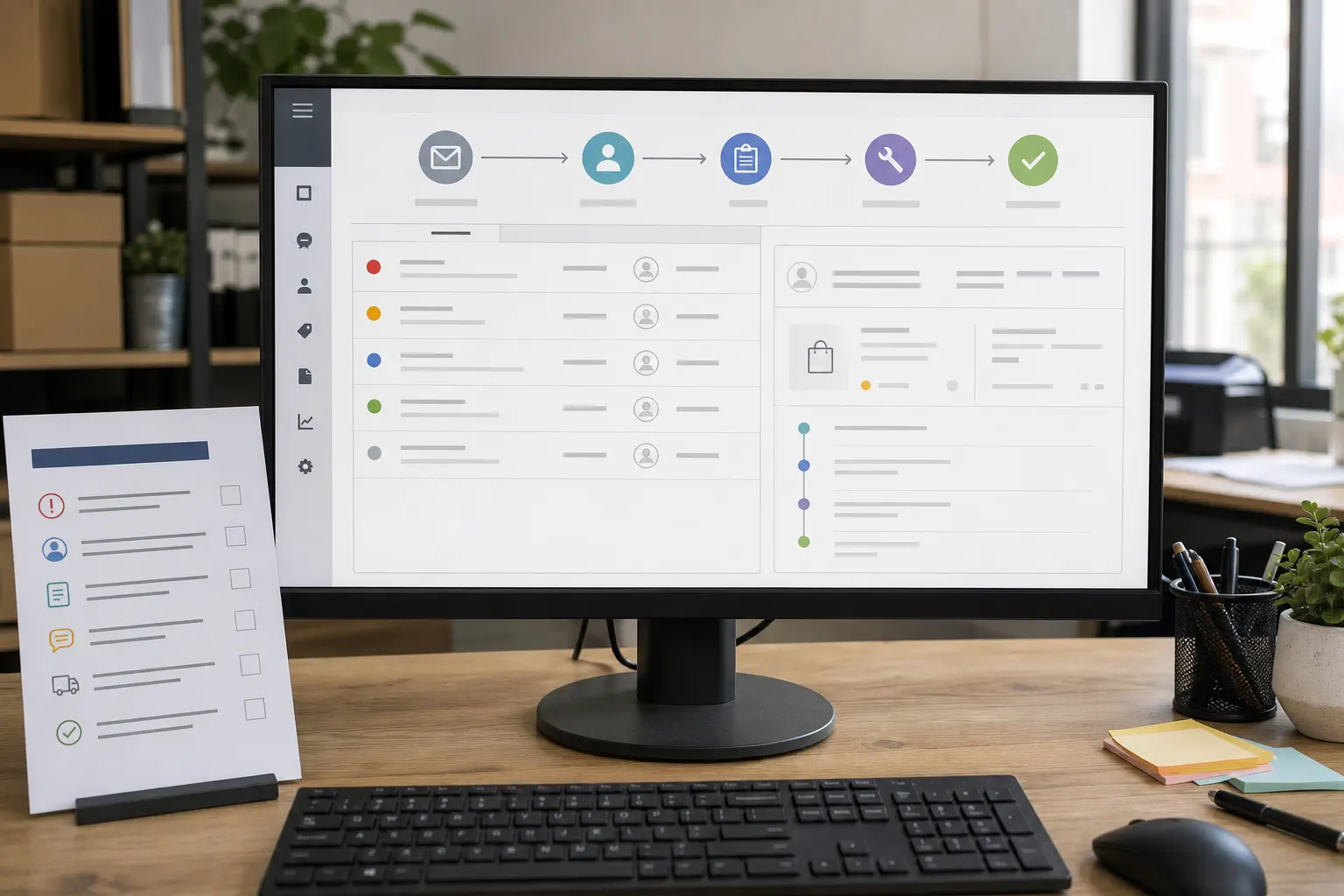
A scalable support workflow moves every inquiry through the same five stages: identify the order, classify the issue, verify the facts, decide the remedy or next update, and record the outcome.
Route support email, contact forms, live chat, and social messages into one queue or linked record before applying the five stages below. Customers can contact you through different channels, but your team should not investigate the same order in separate inboxes or lose the history when a conversation moves from one channel to another.
1. Collect the minimum useful facts
Start with the order number, customer email, item and variant, destination, issue type, and requested outcome. For physical problems, request focused evidence such as a clear photo of the item, outer packaging, label, damaged area, or missing part.
Do not ask for the same information twice. Keep the customer message, order history, tracking, prior replies, supplier notes, and remedy status in one ticket or linked record.
2. Classify the issue and urgency
Use a small set of issue types: pre-sale question, cancellation, order status, delivery exception, wrong item, damaged item, missing part, return, refund, or payment dispute. Add tags only when they change routing, priority, reporting, or the required evidence.
Prioritize cases involving a safety concern, a time-sensitive customer or platform deadline, or immediate financial risk, but do not let ordinary messages disappear. A queue needs an owner, a current status, and a next-action time for every open ticket.
3. Verify before you answer
Check the customer claim against the information you actually have. That may include the approved product specification, order record, dispatch time, carrier status, packing photo, supplier reply, or the store’s policy.
If a fact is missing, say what you are checking and when you will update the customer. Never convert a guess into a delivery promise, defect conclusion, or refund decision.
4. Give a clear next step
A useful reply has four parts:
- Acknowledge the customer’s specific issue.
- State the verified facts in plain language.
- Explain the action you can take now.
- Give the next update point or resolution choice.
Empathy matters, but it should lead to action. Avoid long apologies that leave the customer uncertain about what happens next.
5. Close the loop
Record the final remedy, supplier response, cost, reason code, and any follow-up. Then decide whether the issue was isolated or signals a change to the listing, supplier instructions, packing standard, shipping choice, or support policy.
Key Takeaway: A template can standardize tone, but the workflow must standardize evidence and decisions. Do not close a ticket until the customer outcome is recorded and the operating cause is either confirmed or marked as unresolved for later pattern review.
Handle the Most Common Customer Problems
The best response depends on what is known, what the customer reasonably needs, and which remedies your policy and operating setup can actually support.
Where is my order?
Check whether the order is processing, dispatched but not yet scanned, moving normally, delayed, delivered, or showing an exception. Tell the customer the latest verified event, explain what it means, and give the next check or action.
Use this structure:
Thanks for sending your order number. The latest verified update is [status and date]. This means [plain explanation]. We are [current action], and we will update you again by [realistic update point], even if the status has not changed.
Do not say the parcel is almost there unless the carrier information supports that conclusion.
The item is wrong, damaged, or incomplete
First identify what differs from the order or listing. Ask for only the evidence needed to confirm the mismatch, then offer the remedies your store can approve under the applicable conditions. If supplier, packing, or carrier evidence is still pending, tell the customer what is being checked and when the next update will be sent.
Avoid blaming the supplier in the customer reply. The buyer needs a resolution from the store; supplier accountability belongs in the internal escalation.
The customer wants to cancel
Check the actual order stage before confirming cancellation. An unprocessed order may be stoppable, while a packed or dispatched order may need a different option under your published terms.
Reply with the current stage, what can still be changed, and what happens if the parcel is already moving. Do not confirm a cancellation and then discover that the supplier shipped it.
The customer requests a return or refund
Apply the published policy consistently, but assess the reason before choosing a route. A confirmed defect, a change-of-mind return, a missing delivery, and an incorrect item may require different evidence and remedies.
If the decision cannot be completed immediately, tell the customer exactly what evidence or verification is still required and give a specific next update point instead of leaving the request under an undefined “review.”
Customer communication is only the front of the process. When returned stock has enough value or volume to justify physical handling, a structured dropshipping returns management workflow can connect receipt, condition checks, restock decisions, replacement stock, and supplier review without turning this article into a returns procedure.
The customer is angry or threatens a dispute
Stay calm, acknowledge the concrete problem, and move quickly to a documented option. Do not mirror the tone, argue about blame, or offer an unapproved remedy simply to end the conversation.
If the customer rejects the available options, escalate the ticket to the person who can review policy exceptions or payment-dispute evidence. Keep the complete conversation, order facts, tracking, and remedy attempts together.
Key Takeaway: Match the reply to verified order facts and an approved remedy. Fast speculation creates more risk than a short acknowledgment with a dependable update time.
Connect Customer Replies to Supplier Action

Customer support improves when every buyer-facing issue creates a precise supplier-side request instead of a vague message asking what happened.
Send an evidence packet that includes the order number, SKU and variant, destination, customer issue, relevant photos, tracking record, requested supplier check, and the time by which you need an answer. This makes the request easier to investigate and reduces back-and-forth.
For repeated issues, use a supplier communication workflow that records response ownership, follow-up points, and unresolved exceptions. One chat message is not a control system when several stores, clients, or suppliers depend on the answer.
Separate customer deadlines from supplier deadlines
The customer should receive an update when you promised one, even if the supplier has not completed the investigation. Send a truthful progress message rather than waiting in silence or forwarding an unverified supplier estimate.
Internally, set an escalation path for missing answers. Decide who follows up, when another contact or manager is involved, and what fallback remedy the store can approve if the evidence never arrives.
Turn patterns into supplier decisions
One damaged parcel may be an isolated event. Repeated damage to the same SKU, repeated missing accessories, or recurring gaps between a tracking number and the first carrier scan require a source-level review.
Group tickets by product, supplier, route, issue type, and outcome. Use the pattern to request a packing change, update the listing, revise the product check, change a shipping method, hold the SKU, or replace the supplier. A support team should not solve the same preventable problem forever.
Choose When to Automate, Hire, or Outsource
Choose the lightest support setup that keeps conversations organized, preserves order context, and gives a trained person control of exceptions.
| Operating stage | Suitable setup | Main risk to control |
|---|---|---|
| Manageable volume and one store | Dedicated support email or inbox, saved replies, order records | Messages or follow-ups being missed |
| Growing volume or several channels | Shared inbox or helpdesk, ticket tags, ownership, simple automation | Inconsistent replies and duplicate work |
| Multiple stores, clients, or agents | Central helpdesk, brand-specific rules, access control, reporting | Wrong brand voice, policy, or customer record |
| High exception load | Trained support staff plus an operations escalation owner | Agents replying without supplier or order evidence |
Automate acknowledgments, order lookups, routing, tagging, and policy-based answers when the source information is accurate. Require human review for refunds, replacements, disputed delivery, damaged items, unusual requests, angry customers, and anything the automation cannot support from a verified record.
Hiring or outsourcing makes sense when the owner becomes the bottleneck, coverage is unreliable, or tickets prevent higher-value work. Before handoff, document the product facts, policies, tone, evidence requirements, remedy authority, escalation contacts, and quality-review process.
For mentors, agencies, and multi-store operators, separate each store’s customer data, policies, templates, and approval rights. A shared system should make work consistent without blending one client’s promise into another client’s reply.
Key Takeaway: Do not buy a large helpdesk or hire a team before the decision rules exist. Scale a documented support process, then add tools and people where the queue shows a real need.
Measure Service and Fix the Root Causes

Measure whether customers receive accurate resolutions and whether the same problems keep returning, not just how many messages an agent sends.
Start with a small operating dashboard:
- First response time: how long customers wait for acknowledgment.
- Resolution time: how long the issue remains open.
- Repeat-contact rate: how often a customer must ask again about the same issue.
- Tickets per order: whether support demand rises faster than orders.
- Resolution by issue type: which problems end in information, replacement, refund, return, or escalation.
- Recurring supplier and product issues: which source problems generate repeated work.
- Customer feedback after resolution: whether the answer actually solved the problem.
Read the measures together. A fast first reply with a high repeat-contact rate may mean agents acknowledge tickets quickly but lack useful information. A rise in refund requests for one product may require a listing, specification, packing, or supplier change rather than a new reply template.
Review the top issue categories on a regular schedule. Assign one operating action, one owner, and one later check for each meaningful pattern. The goal is not to make every measure look good; it is to find where customer messages reveal a broken promise or missing control. It is worth checking how your skills stack up across six domains from time to time, because support is one of those domains and this review habit is exactly how it gets better.
FAQ
Do I need to offer customer support 24/7?
No. You need dependable coverage that matches customer expectations, order volume, markets, and sales channels. Publish your support hours, send an immediate acknowledgment when the team is offline, and state when a person will respond; consider wider coverage only when unanswered time-sensitive issues justify it.
Should a dropshipping store provide phone support?
Not necessarily. Email or chat may be enough when customers can reach you easily and your team resolves issues reliably. Add phone support when the product requires detailed pre-sale explanation, the audience expects it, or complex cases are materially easier to solve by voice—and make sure calls still create a written ticket record.
Can AI handle all customer messages?
No. AI can help retrieve order information, summarize conversations, classify tickets, and draft answers from approved policies, but it can misunderstand exceptions or invent details when the source record is incomplete. Use a clear human handoff for refunds, damaged items, disputed delivery, policy exceptions, sensitive messages, and any low-confidence answer.
Conclusion
A dependable support operation begins with accurate promises, visible policies, verified order information, and one repeatable route from inquiry to resolution. It becomes scalable when customer-facing replies, supplier follow-up, remedy authority, and root-cause reviews stay connected.
For growing sellers, mentors, agencies, and multi-store operators, Runtodropship can support the supplier-side work behind that system as a private dropshipping agent: product sourcing, supplier communication, product checks, packing confirmation, order execution, shipping coordination, and after-sales investigation. We believe stronger ecommerce service starts with clearer accountability behind every customer promise. Send your product link, target market, current order volume, and most common support issue to discuss a practical private-agent workflow.