

A WooCommerce order looks finished in your dashboard, but your customer has received only one of two parcels. Your packer sees the full order, the carrier recognizes one tracking number, and support cannot identify the missing unit. Another status change can trigger another email without resolving the shortage. WooCommerce order fulfillment requires matching each order line and quantity to its shipment record, the physical work completed, and the update returned to your store; verify those records separately and reconcile their differences before closing the order.
What does WooCommerce order fulfillment actually record?
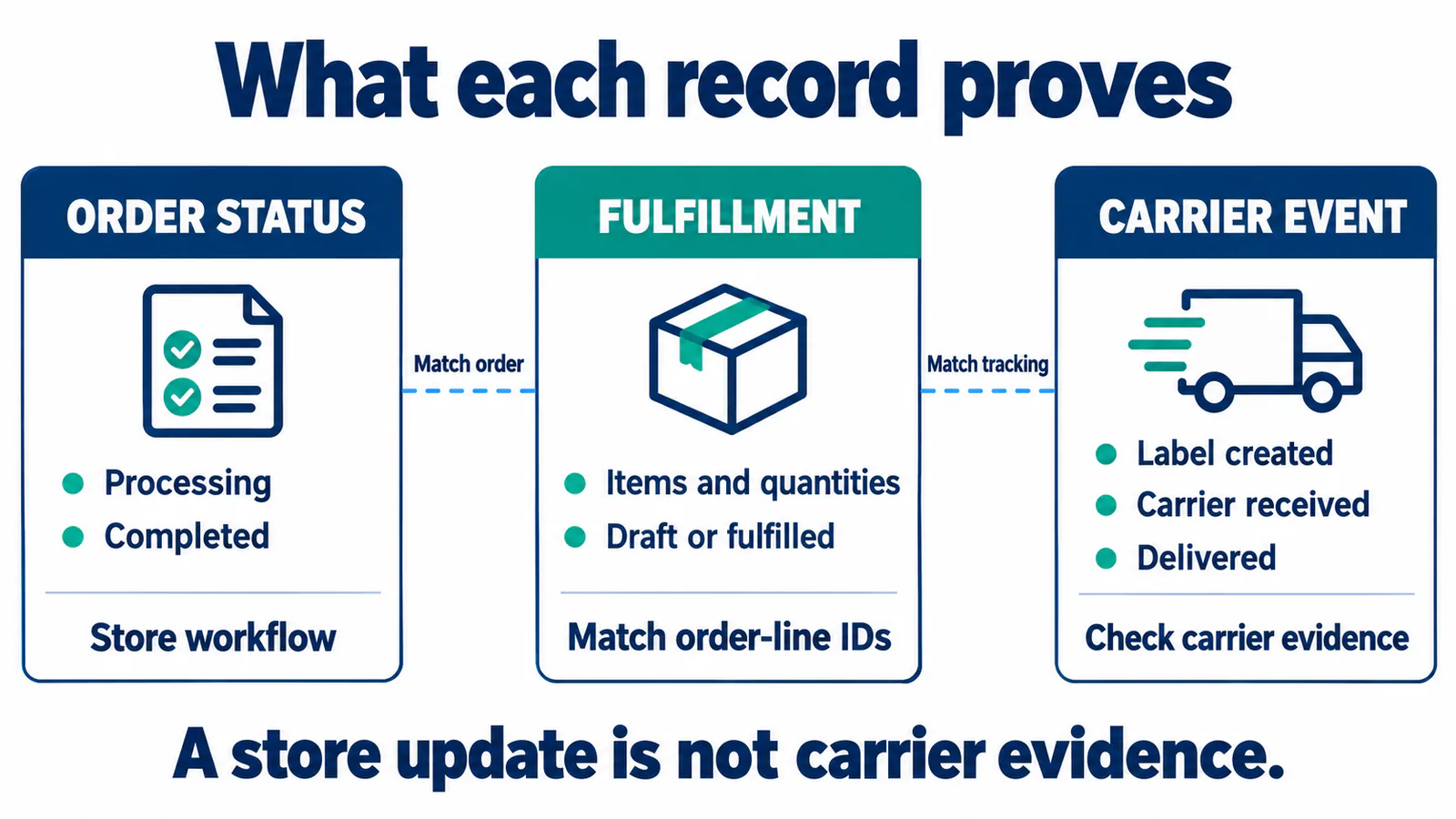
WooCommerce records the store workflow and, when enabled, separate item-level fulfillments; physical movement needs evidence from the operator and carrier. Within the wider order fulfillment process, use these records to identify the unresolved stage. A changed dashboard label alone cannot establish what happened to a particular parcel.
Which evidence belongs to each record?
WooCommerce's order status documentation defines Processing as paid and awaiting fulfillment, and Completed as fulfilled and complete. Those are store workflow states that authorized staff can change. To investigate a physical order, match them with the underlying item and shipment records:
- Order record: the order reference, selected products, quantities and current workflow status.
- Fulfillment record, where supported: the assigned order items, quantities, draft or fulfilled state, and associated tracking details.
- Operator evidence: which items were picked, packed or handed over, linked to the operator's own reference.
- Carrier record: the tracking number and the carrier's observed handling or delivery events.
Key Takeaway: Give customer support the relevant order line, parcel reference and missing event before asking anyone to change an order status.
Which fulfillment features can your store use?
Your usable fulfillment workflow depends on the installed WooCommerce version, enabled features and the extensions or connection handling shipments. The documented Order Fulfillments API registers its routes only when that feature is enabled. A tutorial showing a fulfillment panel does not prove that your store supports the same panel or integration.
WooCommerce's official 10.2 beta walkthrough demonstrates the separate fulfillment interface and partial-shipment model. It is a historical demonstration; check the current documentation and your installed version before following its screens.
How do you choose the applicable route?
Check the route already responsible for your shipment data before adding another. A store using an extension's tracking fields may have a different workflow from one using enabled core fulfillment records. If the unresolved decision is supplier or tool selection, choosing a WooCommerce dropshipping plugin requires a separate comparison of that supplier model and connection.
- Record the installed WooCommerce version and active shipment-related extensions.
- Ask the maintainer which system creates fulfillment records and where tracking is saved.
- Confirm that the specific installed connection supports the required quantities and return updates.
Key Takeaway: Base warehouse instructions on the workflow your store supports, with a named maintainer responsible for its field mapping and updates.
What must reach the warehouse before picking starts?
The warehouse needs an accepted order reference, identifiable order lines, quantities, destination and handling instructions, plus your agreed release approval. Match the imported record with the operator's acceptance reference and stock allocation before treating it as picking work. Define the release rule for your payment methods and review holds before sending instructions to pick.
Which identifiers must survive the handoff?
An order-line ID identifies a particular row within an order; a SKU identifies the product or variation you sell. The documented fulfillment API uses the order-line item ID and a positive quantity, so an integration must map supplier SKUs or warehouse codes to the correct order lines. Ask the maintainer to show that mapping in a saved record that your operator can match to its own system.
- Keep the store order reference and operator reference together, including any displayed custom order number.
- Include each line's ID, SKU or variation, selected options and approved quantity so the picker can distinguish similar items.
- Attach destination and packing instructions, then record who accepted the work and any unresolved stock or order hold.
For supplier-routed orders, request the stock observation time and an allocation or procurement acknowledgment. A supplier quantity feed needs that extra confirmation before you promise a specific order's dispatch. Key Takeaway: Trace each picking instruction back to an accepted order line and approval, so a mismatch has an identifiable owner before packing begins.
How do you record partial shipments without losing units?
Record each shipment's items and quantities, and keep a clear balance of the units still awaiting fulfillment. In the documented fulfillment system, one order can have multiple fulfillment records, each with its own items and shipment information. Deciding whether supplier parcels should be consolidated is a separate physical decision; the store still needs accurate records for whichever parcel arrangement you choose.

What remains after the first parcel?
Consider a constructed example: an order requests two units of A and one of B, and the first parcel contains one A and one B. After that parcel is recorded as shipped for this illustration, one A remains unshipped. A draft fulfillment prepared for those items has not reached that shipping event.
- Associate the first parcel's tracking with its actual A and B quantities.
- Check that its packing slip describes those contents, rather than the entire order.
- Keep the remaining A visible until its own shipment is completed under your agreed rule.
| Order line | Requested | First parcel recorded shipped | Still unshipped |
|---|---|---|---|
| A | 2 | 1 | 1 |
| B | 1 | 1 | 0 |
Tracking for the first parcel leaves the obligation to ship one A open.
Which updates can change the saved item record?
Metadata is the information attached to a fulfillment, such as its item list and tracking details. The documented metadata update replaces the full set rather than merging new fields into everything already stored. Its metadata endpoint requires the item list and rejects saving without it.
- Retain the complete intended metadata and required item list in the update.
- Inspect the response, resolve any rejection and read the saved quantities back before treating the update as successful.
Key Takeaway: Reconcile requested, recorded-shipped and remaining quantities after each parcel update; an accepted tracking change must leave the intended item associations intact.
When should tracking and customer messages change?
Save tracking against the correct parcel and items before triggering the intended customer message, and describe only the shipping event the evidence supports. UPS distinguishes Label Created from receiving a shipment: the first event means it has shipment and billing details. If a parcel has no carrier handling event, ask the operator for its handoff record and assign someone to investigate the gap. Agree that escalation procedure for the relevant service rather than assuming a universal first-scan deadline.
Who controls the customer message?
A September 2026 contributor report, recorded in WooCommerce issue 69774, describes a final partial shipment producing a fulfillment email followed by a separate Completed Order email. That public implementation report shows a reason to inspect overlapping triggers; it does not establish that every current store has the same problem. Check your own configured path:
- The documented fulfillment API's customer-notification parameter defaults to false.
- The fulfillment editor has a separate default-on notification toggle for changes to fulfilled records.
- Creating, editing or removing draft fulfillments does not send their customer notification emails.
- Confirm which component sends the intended message, what tracking it includes and what happens when the last parcel closes the order.
Inspect the saved tracking, event order and resulting message together when checking the connection. Key Takeaway: Assign responsibility for one intended shipment update and its contents, so tracking writeback and order completion do not leave the customer uninformed or generate unintended duplicates.
How do you reconcile cancellations and failed updates?
Reconcile the financial record, store status and physical work separately before changing quantities or repeating an instruction. A Cancelled WooCommerce order may still need a refund, while the Manual Refund option can mark an order Refunded without returning the customer's funds. For an item coming back, arrange return inspection and stock disposition before treating receipt, condition approval and sellable stock as the same event.
What must you check before changing or replaying work?
When a cancellation or update fails, first establish what was already saved and what the operator already did. WooCommerce's webhook documentation explains that a webhook can be disabled after more than five consecutive delivery failures. A webhook is a message sent to another system when an event occurs; its failed delivery needs investigation rather than an assumption that automatic updates will continue indefinitely.
- For a cancellation, obtain the operator's acknowledgment and actual picking, packing or carrier-handoff position; a store status cannot physically recall a parcel.
- For a refund or return, confirm the payment action, accepted return and approved inventory adjustment, with one party owning the stock change.
- For a failed message, have the maintainer inspect delivery logs and the saved order, fulfillment and operator records before replaying it or issuing replacement work.
Keep the original references when investigating an uncertain response so you can find an operation that may already exist. Key Takeaway: Establish the saved outcome and physical position before retrying; a recovery action should resolve the original obligation without creating a second shipment or stock adjustment.
What should a fulfillment partner prove before handoff?
A fulfillment partner should demonstrate a traceable handoff from your store's order lines to accepted physical work and the records returned afterward. Define who approves each order, who maintains the connection, and who supplies stock, packing and parcel records. If you need China-side picking and packing support, agree that physical scope alongside the store connection's demonstrated capabilities.
Which record should the partner demonstrate?
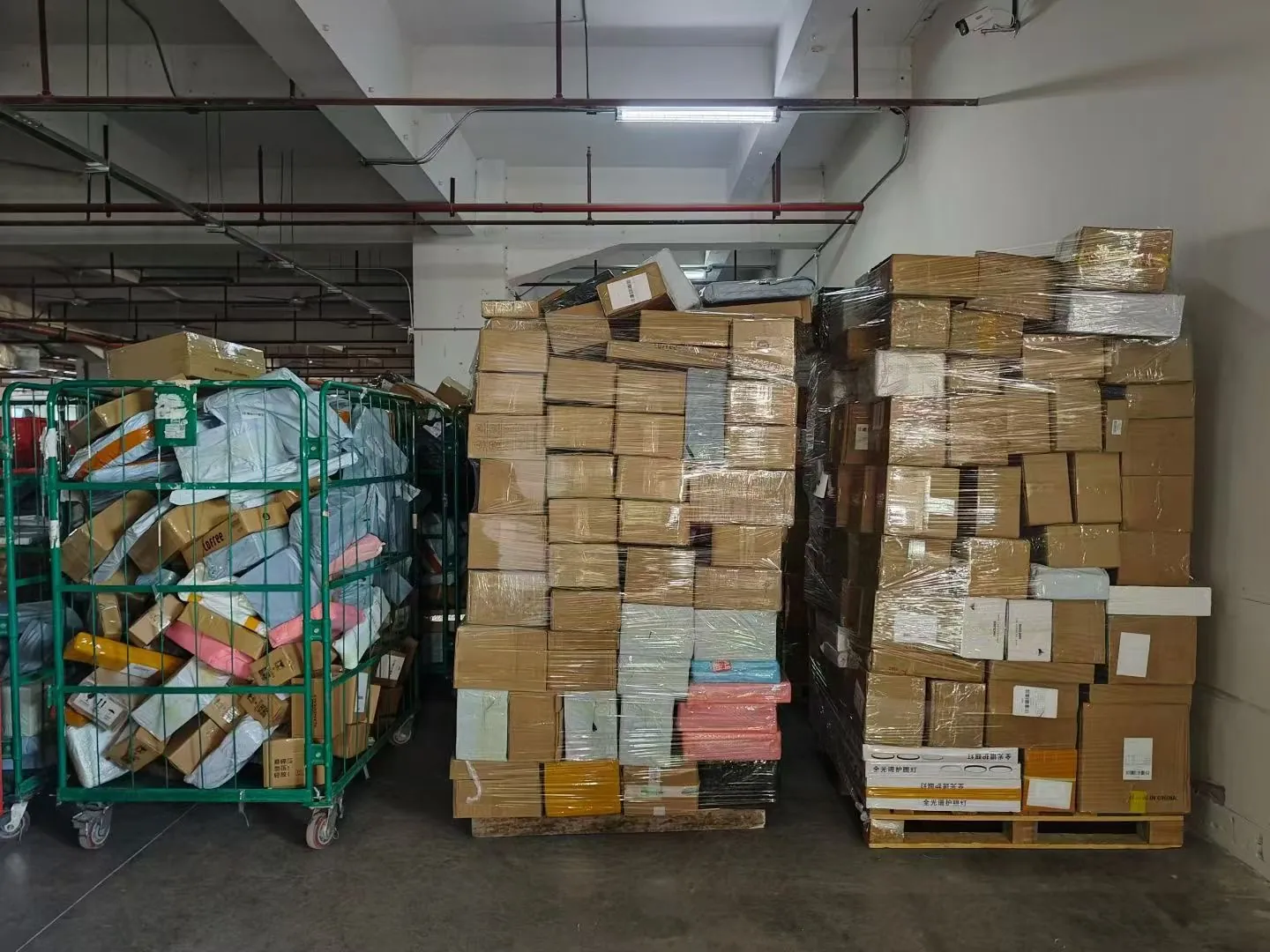
Ask for a representative acceptance record that you can follow across the systems, then inspect the unresolved items as carefully as the successful steps. Stored cartons or a warehouse photograph cannot establish that a particular WooCommerce order was picked or its tracking updated. The record should let you connect:
- The store order and line IDs, variation or SKU, approved quantities and partner acceptance reference.
- The supplier stock observation or allocation acknowledgment, physical work stage, parcel references and tracking returned to the correct items.
- The person responsible for an unshipped balance, missing tracking update or failed message, and the agreed next action.
Request this evidence before widening the handoff, including any steps that still require manual work. Key Takeaway: Evaluate a partner's ability to explain and reconcile one actual order trail; a platform name on a service page does not establish the specific connection your operation needs.
Conclusion
Reliable WooCommerce fulfillment depends on keeping order state, item quantities, parcel records and physical events consistent. You can then identify the unshipped balance, confirm what each customer update means and give exceptions to the person able to resolve them. RuntoDropship is a Private Dropshipping Agent supporting WooCommerce sellers with order handling and related fulfillment coordination.
Share your current process, product and parcel requirements, and an anonymized example of the handoff that breaks down with our China dropshipping agent for self-hosted stores. Confirm the applicable connection and operating responsibilities before committing work. We believe fulfillment promises should follow demonstrable capability and clear responsibility for the order.
FAQ
Can WooCommerce handle a catalog of 10,000 products?
Yes, WooCommerce can support catalogs above that size, but performance depends on hosting, traffic, theme, plugins and store code. Evaluate the actual catalog, cart, checkout and order-processing workload on your intended setup. Product count alone does not establish how many orders your store or warehouse can handle.
Why are shipping options missing at checkout?
Start with the exact cart and delivery address, then check the first matching shipping zone, its enabled methods and each method's conditions. Product settings or a custom checkout can require further investigation. Preserve the failing cart and address details so the maintainer can reproduce the issue without guessing.
Can I offer free shipping and flat rate together?
Yes, eligible Free Shipping can appear alongside Flat Rate. WooCommerce 9.9 and later provides a setting to hide other delivery rates when free shipping is available; the setting does not hide an enabled Local Pickup option. Check that setting if you want the customer to retain a paid delivery choice.
Can I add tracking through the WooCommerce mobile app?
It depends on the app version and tracking setup. WooCommerce lists Shipment Tracking among its supported mobile extensions, but that listing does not establish every required add or edit control. Inspect the actual app's tracking fields and current extension support before assigning that task to phone-based staff.
Can I hide prices on packing slips or order exports?
Your document or export tool may provide that option; a setting for one packing-slip template does not control every export. Check its selected fields and inspect an output for product, add-on and price data while retaining usable item details and quantities.